We make AtomCut. This is our comparison, and we've tried to make it one you'd trust: where Jitter or Fable is better, it says so, and there's a table below with the same criteria applied to all three.
Jitter, Fable and AtomCut all animate design work in a browser tab instead of After Effects. Jitter and Fable are built for designers who work in Figma and need a motion pass without leaving that workflow. AtomCut is a canvas and a multi-track timeline in one window, free, with no seats to pay for.
The criteria below are the same for all three, decided before writing: price model, platform, Figma import, templates, timeline depth, video and audio, export formats, free-tier limits, collaboration, and maturity. Jitter and Fable win on more than half of them.
The table
| Jitter | Fable | AtomCut | |
|---|---|---|---|
| Price model | Free tier, then per seat/month | Free tier, then paid plans (see note) | Free up to 720p, then Pro (monthly or once) |
| Platform | Browser | Browser | Browser, plus installable desktop |
| Figma import | Yes, editable layers | Yes, editable layers | Not yet |
| Templates | 300+ animation templates | Design-system templates | None yet (6–10 starter projects planned) |
| Timeline depth | Single-track, per-layer keyframes | Single-track, per-layer keyframes | Multi-track NLE: trim, roll, ripple, nested comps, groups as clips |
| Video + audio | Image → video (paid tiers) | Not the focus | Native: video clips, multi-track audio, EQ, fades |
| Export formats | MP4, GIF, Lottie (WebM/ProRes on paid tiers) | Video, GIF, Lottie | MP4, WebM, GIF, PNG sequence, SVG, Lottie with a fidelity report |
| Free tier limits | 720p/30fps, watermark, 3 files | Limited exports (check their pricing page) | Every tool, no watermark, export capped at 720p |
| Collaboration | Shared workspace, comments, real-time (free); team libraries on paid tiers | Comments on canvas, multi-editor | Single-player today |
| Maturity | Established, design-team adoption | Established | Two months old as of this piece |
Jitter's pricing is confirmed from jitter.video/pricing as of September 2026: Free is $0 (720p/30fps export, a watermark, 3 workspace files), Pro is $15/seat/month billed annually (removes the watermark, adds 1080p/60fps and ProRes/WebM), Max is $35/seat/month (4K/120fps, transparent and frame-by-frame export), Ultra is $59/seat/month (more AI credits), and Enterprise is custom. Fable's pricing page did not load for us while writing this — check fable.app/pricing directly for current numbers; what's confirmed from their site's own copy is a free Starter tier plus paid Professional, Organization and Enterprise plans.
Jitter
Jitter is a Figma-adjacent motion editor: paste in a frame, it stays editable, and you animate properties with presets or your own keyframes on a per-layer basis. The free plan is genuinely usable — unlimited drafts, three workspace files, Lottie/GIF/MP4 export at 720p — with a watermark and a file cap as the nudge to upgrade. Its 300-plus animation templates and presets are organized by output (social buttons, animated icons, charts, logos), so a static Figma frame becomes a looping clip in a few clicks rather than a manually keyed sequence. Real-time collaboration, comments and a shared workspace are on the free plan too; what paid tiers add is export ceiling (1080p on Pro, 4K on Max), the watermark removal, and team libraries once those ship.
Fable
Fable also imports Figma frames as editable layers and adds canvas comments for review, which reads as a tool built for a design team's approval loop rather than a solo pass: a stakeholder can leave a note directly on the frame instead of a separate thread. Its animation model is the same shape as Jitter's: presets and per-layer keyframes on a design surface, not a multi-track timeline. It exports to video, GIF and Lottie, and its plans scale from a free Starter tier up through Professional and Organization to Enterprise, with the paid tiers adding longer projects, higher-quality exports, unlimited version history and more editors per team.
AtomCut
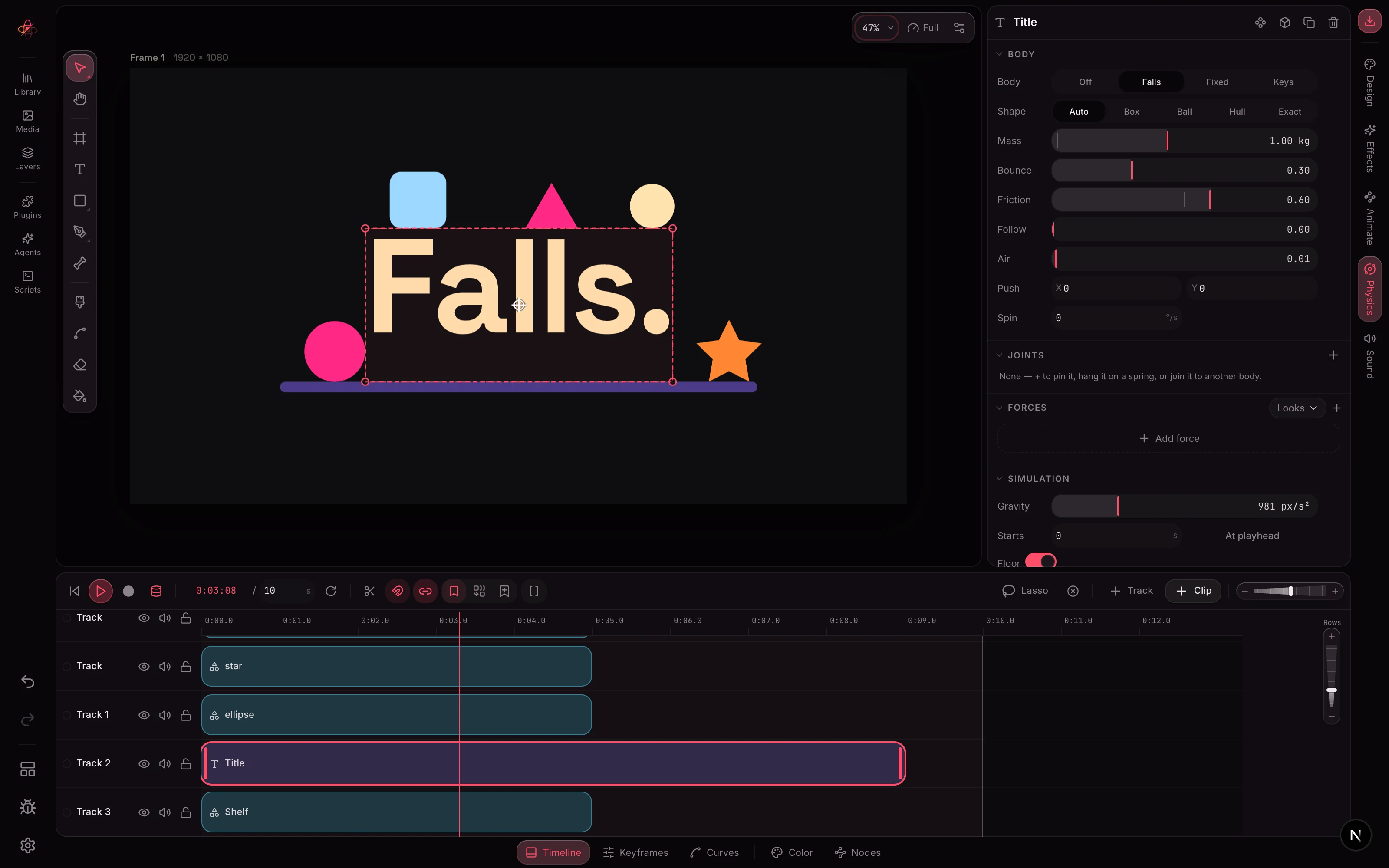
AtomCut starts from a different premise: an infinite canvas sits above a real NLE timeline, so a project isn't one layer stack with keyframes on top, it's tracks, clips, nested compositions and groups that behave like clips of their own. That's what lets a video clip, a multi-track audio mix, a flipbook and a vector animation share one timeline, each trimmed, rolled and nested the way a video editor's timeline works rather than a design tool's layer panel. AtomCut is a free motion design and video editor that runs in the browser, with keyframes on anything, including whether an effect is on, and it exports to MP4, WebM, GIF, PNG sequence, SVG and Lottie, the last two with a fidelity report that says exactly what did and didn't translate. The free tier is every tool, no watermark, capped at 720p export; Pro — $29 a year, or $59 once for the first 300 — removes the cap and adds HD, 4K, transparent and per-layer export and the AI agent. No seats, because there's no per-seat anything to charge for, and no account either: open the app and start.
Choose Jitter or Fable if…
- You live in Figma and want a frame to stay an editable Figma-shaped layer through the animation pass.
- Your team needs comments, shared libraries and real-time multi-editor review today, not eventually.
- Someone on the team is already paying for seats and the export ceiling of the free tier is the only thing in the way.
- You want templates and presets to get from zero to a finished loop in minutes.
Choose AtomCut if…
- You want a real timeline: multiple video and audio tracks, trims, nested comps, not one layer stack.
- You want to keyframe things a design tool doesn't expose, like an effect's on/off state, and export video with actual audio mixed in.
- You'd rather pay once than per seat per month, or not pay at all under 720p.
- You want the project to work offline and open again next year without a login or a plan change.
Questions people ask
Can I import a Figma file into AtomCut? Not yet. Vector shapes can be drawn or imported as SVG and separate into their own layers; direct Figma import isn't built.
Do Jitter and Fable export Lottie? Yes, both do. AtomCut also exports Lottie, plus SVG, with a fidelity report naming anything that didn't translate.
Is there a free plan with no watermark? AtomCut's free tier has no watermark, capped at 720p export. Jitter's free tier keeps a watermark until you upgrade to Pro; check Fable's current plan for their policy.
Do any of these tools have a real video timeline? AtomCut does: multiple video and audio tracks, trims, ripple edits, nested compositions. Jitter and Fable animate one design surface with per-layer keyframes; neither is built around a multi-track edit.