We make AtomCut. This is our comparison against Canva, and we have tried to write the version we would trust from someone else: the same criteria for both, and Canva winning several rows outright, because it does.
AtomCut is a free motion design and video editor that runs in the browser, with a keyframeable timeline and vector canvas, free up to 720p export. Canva is the template-and-brand-kit standard for social content, $18/month for Pro or $25/user/month for Business (as of September 2026, canva.com/pricing; Canva also has a free plan). Below is where each one actually wins, job by job, not feature by feature, because a feature count says nothing about which tool finishes the post you're actually making today.
The table
| Canva | AtomCut | |
|---|---|---|
| Price | Free, $18/mo Pro, $25/user/mo Business | Free up to 720p; Pro for HD/4K (monthly or once) |
| Templates | Huge library | None |
| Stock photos, video, music | Huge library | None |
| Brand kit | Yes (Pro+) | No |
| Team seats and permissions | Yes (Business) | No (single workspace) |
| Real vector pen tool | No (stickers, shapes) | Yes, full Bézier |
| Keyframe any property | No (preset animations) | Yes |
| Timeline depth | Single scene per page | Full multi-track NLE |
| Export without watermark, free tier | Yes, on free assets only | Yes, up to 720p |
| HD/4K/transparent export | Included in Pro | Pro |
By job
An animated post from a template. Canva wins this outright: pick a layout, drop in your text and colors, apply a preset animation, done in minutes. AtomCut has no templates, so the same post starts from an empty canvas and takes longer to reach the same result. If speed on templated work is the whole job, Canva is the right tool and this article will not pretend otherwise.
A reel with brand colors. Canva's brand kit locks fonts, colors and logos across a team so anyone can make an on-brand post without a design review. AtomCut has no brand kit; consistency is manual, which is fine for one person and a real gap for a team of five.
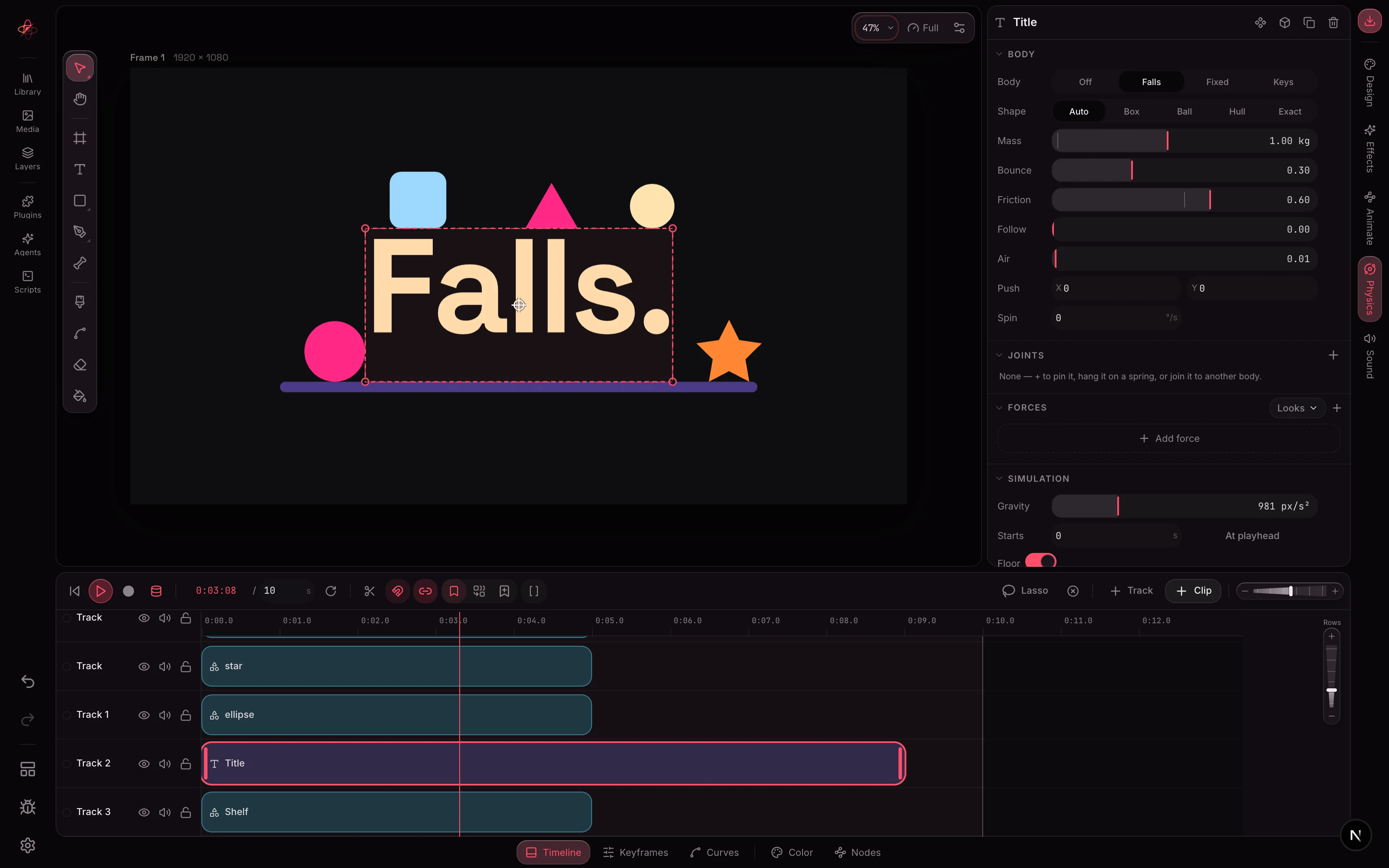
A logo sting or lower third that needs a real keyframe. This is where Canva's preset animations run out: "fade," "rise," "pan" are fixed shapes you cannot retime or reshape. AtomCut keyframes any property, including whether an effect is on, on a curve you draw yourself, with per-glyph text effects and a color dial that recolors a whole look at once. For a shape that has to arrive at frame 47 exactly on the beat, AtomCut is the tool that can do it; Canva's presets are not built for that precision.
Exporting without a watermark or a subscription. Canva's free tier exports cleanly as long as you avoid Pro-only elements and templates; mixing one in triggers a watermark. AtomCut's free tier has no watermark at any resolution up to 720p, and no premium-asset trap, because there are no premium assets to trip on. Going further, past 720p, into transparent or per-layer export, takes AtomCut Pro — which you can own outright — versus $18 or $25 a month ongoing on Canva.
Learning it at all. Canva is built to be picked up in minutes with no prior design or animation knowledge; that is most of its point. AtomCut has a real timeline, a curve editor and a keyframe model, which is more power and more to learn, closer to a video editor than a template tool. If the person making the post has never keyframed anything before, Canva is the gentler start, and AtomCut's 21 docs pages and quick-start guide are there for when the template runs out.
Working as a team. Canva Business adds seats, shared brand kits and permissions so a marketing team can produce on-brand content without a bottleneck at one designer. AtomCut is a single workspace with no seats, roles or shared libraries; it fits one person, or a team passing a project file around, not a team collaborating on the same file at once.
The trade, plainly
Canva's whole value is the library: templates, stock, fonts, a brand kit, and a team plan that keeps everyone on the same visual language without a design review. AtomCut has none of that. What it has instead is a real timeline and real vector tools underneath, for the specific moment a preset animation cannot do what you need. Most social content never hits that moment; some of it always will.
What actually exports. Canva's video export is MP4 and GIF, tuned for posting straight to a feed. AtomCut adds WebM, a PNG sequence, and vector formats Canva does not touch at all: SVG, and Lottie with a fidelity report that says what did and did not translate. If the post is only ever going to a feed, that difference doesn't matter. If the same animation needs to become a Lottie for an app or a website later, it does.
Choose Canva if
- Speed on templated posts matters more than a custom animation.
- Your team needs a brand kit and shared assets without a design review.
- You want stock photos, video and music built into the same tool.
Choose AtomCut if
- A preset animation can't do the specific motion you need.
- The deliverable needs a real vector, a Lottie, or an SVG export.
- You would rather pay once than keep a subscription running for one feature.
Questions people ask
Can I import a Canva design into AtomCut? No. There is no import path from Canva's format today; you would rebuild the design as vector layers in AtomCut.
Does AtomCut have brand kits? No. Brand consistency in AtomCut is manual today; there is no shared color, font or logo kit across a team.
Is Canva's free plan enough for animated posts? For templated animations using free assets, yes, with no watermark. Once the job needs a custom keyframe, a vector reshape, or an export past what the free tier allows, that's the point this comparison is written for.
Does AtomCut work for a team producing content at volume? Not yet in the way Canva Business does. There is no shared workspace, brand kit or seat management; each project is a file, not a managed account. A team standardizing on templates and volume is better served by Canva today.