
We make AtomCut, one of the tools below. This is our comparison, and we have tried to make it one you would trust: the same criteria for every tool, and CapCut winning several rows outright, because it does.
AtomCut is a free motion design and video editor that runs in the browser, with no watermark at any export resolution up to 720p and no premium-asset trap to trigger one. If you just hit a watermark or a paywall exporting from CapCut, this is the moment this article is for.
The moment, specifically
CapCut's free tier is genuinely generous: full editing, effects, text and audio tools with no cost. The watermark shows up in two specific ways: using a Pro-only template, effect or stock asset on a free account, or leaving CapCut's auto-added ending clip in the timeline. Both are avoidable once you know to look for them, and CapCut says as much in its own help center. Pro removes the question entirely, at $19.99/month or $179.99/year (as of September 2026, capcut.com). For someone who edits occasionally, a monthly fee to avoid a watermark you can already avoid for free is a bad trade; that's the audience for this list. For someone who edits often enough that remembering the outro clip and the asset list gets tiring, the calculation is different, and Pro or one of the tools below both solve it, in different ways.
The table
| Tool | Price | Watermark on free tier | Resolution cap, free | Auto-captions | Templates | Platform |
|---|---|---|---|---|---|---|
| CapCut | Free–$19.99/mo | Only with Pro assets/outro left in | None on Free (varies by feature) | Yes, strong | Huge library | Mobile-first, desktop, web |
| AtomCut | Free to 720p; Pro for HD/4K | Never | 720p | Yes (Pro) | None | Browser, desktop |
| Motionity | Free (open source) | Never | None | No | None | Browser |
| DaVinci Resolve | Free / $295 once (Studio) | Never | None | Limited (Studio: better) | None | Desktop (native) |
| Kdenlive | Free (open source) | Never | None | No | None | Desktop (native) |
The alternatives, one paragraph each
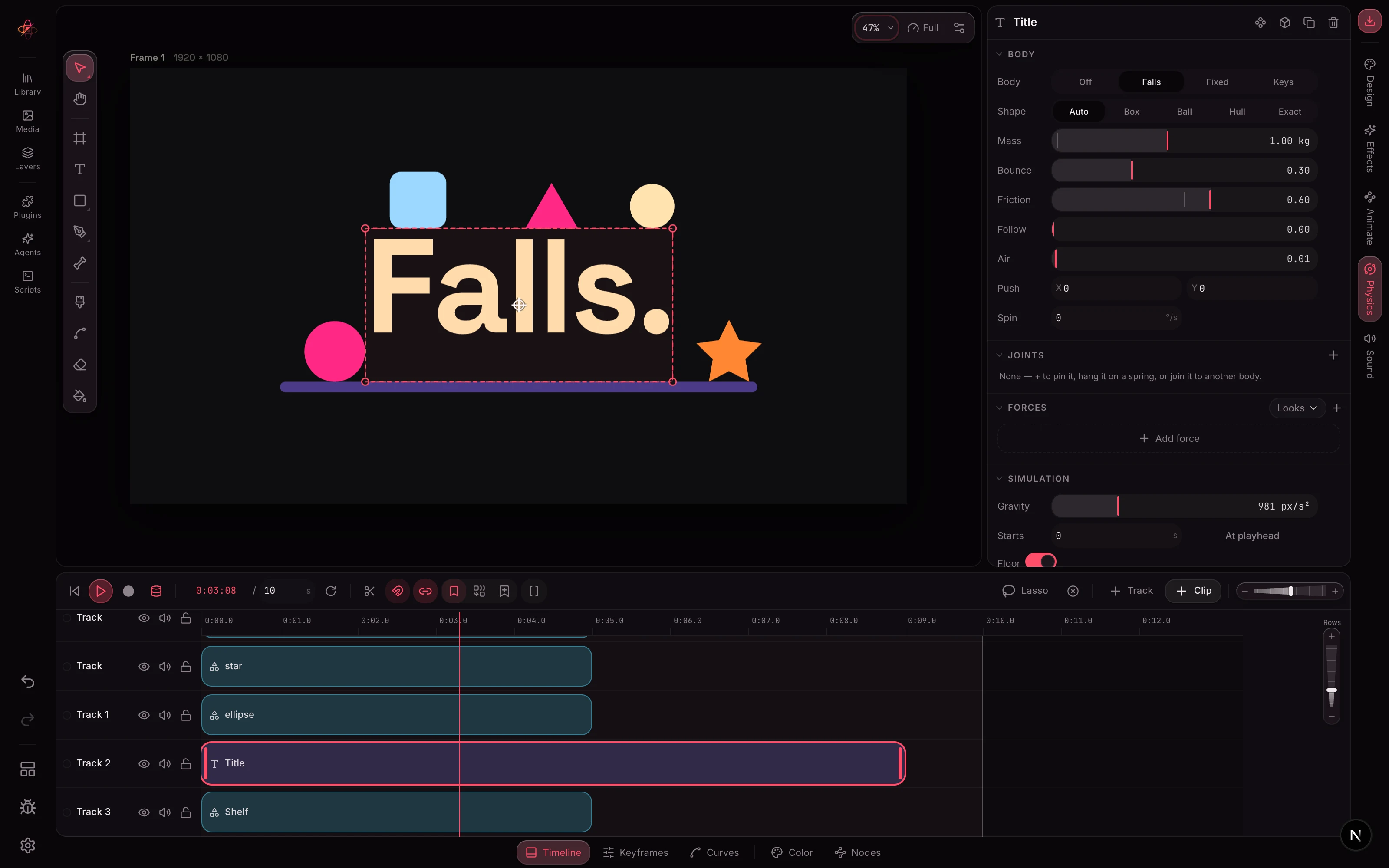
AtomCut trades CapCut's mobile speed for a real multi-track timeline and a vector canvas in the same window. Captions are manual and timed by you, with per-glyph effects if you want them, not transcribed automatically. Export goes to MP4, WebM, GIF or a PNG sequence, free up to 720p with no watermark, no Pro-asset trap, no outro clip to remember to delete. For more, you'll need AtomCut Pro.
Motionity is free and open source with no paid tier at all, so there is no watermark question to ask. It mixes keyframed layers with a Canva-like drag-and-drop feel, exports WebM and GIF, and has no auto-captioning or vector pen tool.
DaVinci Resolve is a native desktop app, not a browser tool, but belongs on this list because its free tier is not a trial: full editing, color grading and Fusion visual effects with no watermark and no time limit. Studio is a one-time $295, not a subscription, and adds AI tools, HDR grading and higher frame rates. For a longer-form video and not a short social clip, this is a better fit than any browser tool here.
Kdenlive is fully free and open source with no paid tier, part of the KDE project. It is a real NLE for longer-form editing, without CapCut's mobile workflow, templates or auto-captions.
What CapCut still does better
Auto-captions are the biggest gap. CapCut transcribes speech and times words to it automatically, a feature none of the four alternatives here have; AtomCut's captions are timed words you place yourself, which is more control and more work. Templates are the second gap: CapCut's library of trending formats gets a reel started in seconds, and nothing here has an equivalent. Mobile editing is the third: CapCut is built phone-first, and AtomCut, Motionity, DaVinci Resolve and Kdenlive are all desktop or desktop-browser tools. If your workflow is shoot-on-phone, caption-automatically, post-in-minutes, CapCut's free tier is already the right tool, watermark aside.
Where the alternatives pull ahead
Once the edit needs more than a caption and a trending transition, the gaps run the other way. AtomCut's timeline links clips so trims and deletes stay in sync, keyframes any property including whether an effect is on, and exports SVG and Lottie alongside video, none of which CapCut does at all. DaVinci Resolve's Fusion page does compositing work CapCut has no equivalent for. Kdenlive's proxy editing and multi-track audio mixing suit a longer cut better than a vertical-video tool ever will. The honest read is that these are different tools for different edits, not a strictly better replacement for CapCut.
Choose CapCut if
- Auto-captions and speech-to-text are the feature you rely on most.
- You want templates and trending effects built in.
- You're editing primarily on a phone and want the fastest round trip.
Choose a browser alternative if
- You want the export clean without remembering to avoid Pro assets or delete an outro clip.
- The job needs a real timeline and vector tools, not presets.
- You would rather not pay a monthly fee for a feature you can get free elsewhere.
Questions people ask
Is CapCut's free export really watermarked? Only if you use a Pro-only template, effect or asset on a free account, or leave the auto-added ending clip in your timeline. Editing entirely with your own or free assets, and removing the outro clip, exports clean with no watermark, according to CapCut's own help documentation.
Do any free browser editors do captions automatically? Not in this list. AtomCut, Motionity, DaVinci Resolve's free tier and Kdenlive all require you to time captions yourself or add a separate transcription step; none includes CapCut's built-in speech-to-text.
What's the catch with AtomCut's free tier? Export is capped at 720p, and there is no transparent or per-layer export, until you go AtomCut Pro. Below that cap, every tool and effect is available, with no watermark and no time limit.
Is AtomCut Pro cheaper than CapCut Pro? Yes. CapCut Pro is $19.99/month, $239.88 over twelve months; AtomCut Pro costs a fraction of that, and you can own it outright — with auto-captions from speech, AI generation and 4K export.