We make AtomCut. This is our comparison, and we've tried to make it one you'd trust: where Procreate Dreams is ahead, it says so, and there's a table below with the same criteria applied to both.
Procreate Dreams and AtomCut both do frame-by-frame animation on an iPad with a pencil in hand. Procreate Dreams is a dedicated raster animation app built by the team behind Procreate. AtomCut is a vector canvas and timeline that happens to run the same way on an iPad as it does on a laptop, because it's the same app in a browser tab either way.
The criteria below are decided before writing: price, platform, drawing model, the frame-by-frame model itself, Apple Pencil handling, how each app copes with having no keyboard, timeline scope beyond frames, export formats, performance and maturity. Procreate Dreams wins outright on three of those: drawing model, Apple Pencil integration, and performance, which is exactly what a native raster app built by one team for one device should win on.
The table
| Procreate Dreams | AtomCut | |
|---|---|---|
| Price | $12.99 one-time (procreate.com/dreams, Sep 2026: "no subscriptions") | Free (720p export cap); Pro for HD/4K, monthly or once |
| Platform | Native iPad app | Browser, same workspace at every screen size, installable |
| Drawing model | Raster, brush-based | Vector, 43 pressure-sensitive brushes plus parametric shapes |
| Frame-by-frame model | A dedicated animation timeline built around raster frames | Rows are tracks, cells hold one drawing each, onion skinning across cells |
| Apple Pencil | Built for one device family; pressure and tilt tuned for it | Pressure and tilt reported directly to the brush engine; same input path as a mouse/stylus on any platform |
| Modifiers without a keyboard | Native iPad gesture set | An on-screen puck stands in for ⇧/⌥/⌘/⌃, since touch alone can't reach them |
| Timeline beyond frames | Animation-focused; not a general video/audio NLE | Full multi-track timeline: video, audio, keyframes, nested comps, groups as clips |
| Export formats | Video, GIF | MP4, WebM, GIF, PNG sequence, SVG, Lottie |
| Performance | Native app, tuned for iPad hardware | Runs in the browser; heavier scenes cost more than a native app would |
| Maturity | Years of dedicated raster/animation development | Two months old |
Procreate Dreams
Procreate Dreams is built by the same team as Procreate, for the same device, with years of raster brush engine work behind it. That shows up exactly where you'd expect: the feel of a stroke under an Apple Pencil, tilt and pressure response tuned for one specific piece of hardware rather than translated from anywhere else, and a native app's performance ceiling that a browser tab doesn't get to compete with. It's a one-time purchase at $12.99, no subscription, confirmed today on Procreate's own product page. For an artist whose whole practice is raster painting and who animates on an iPad, that combination is hard to beat. Its animation tools are built around that same raster foundation: frames are bitmap drawings, and the app's whole design is shaped by that choice rather than treating animation as one mode among several.
AtomCut
AtomCut runs on iPad the same way it runs everywhere: one workspace, presented two ways — docked resizable panels when there's room, floating panels one at a time when there isn't, with everything from the app menu to the export dialog reachable on a phone-sized screen. Since most of AtomCut's precision gestures are gated behind a keyboard modifier (shift to constrain, option to duplicate, command to multi-select, control to bypass snapping), and touch has no keyboard, an on-screen puck stands in for whichever modifier a gesture needs. Pinch-to-zoom and two-finger pan work on both the canvas and the timeline, and a stylus's pressure and tilt report straight into the brush engine, the same input path a mouse click uses on desktop.
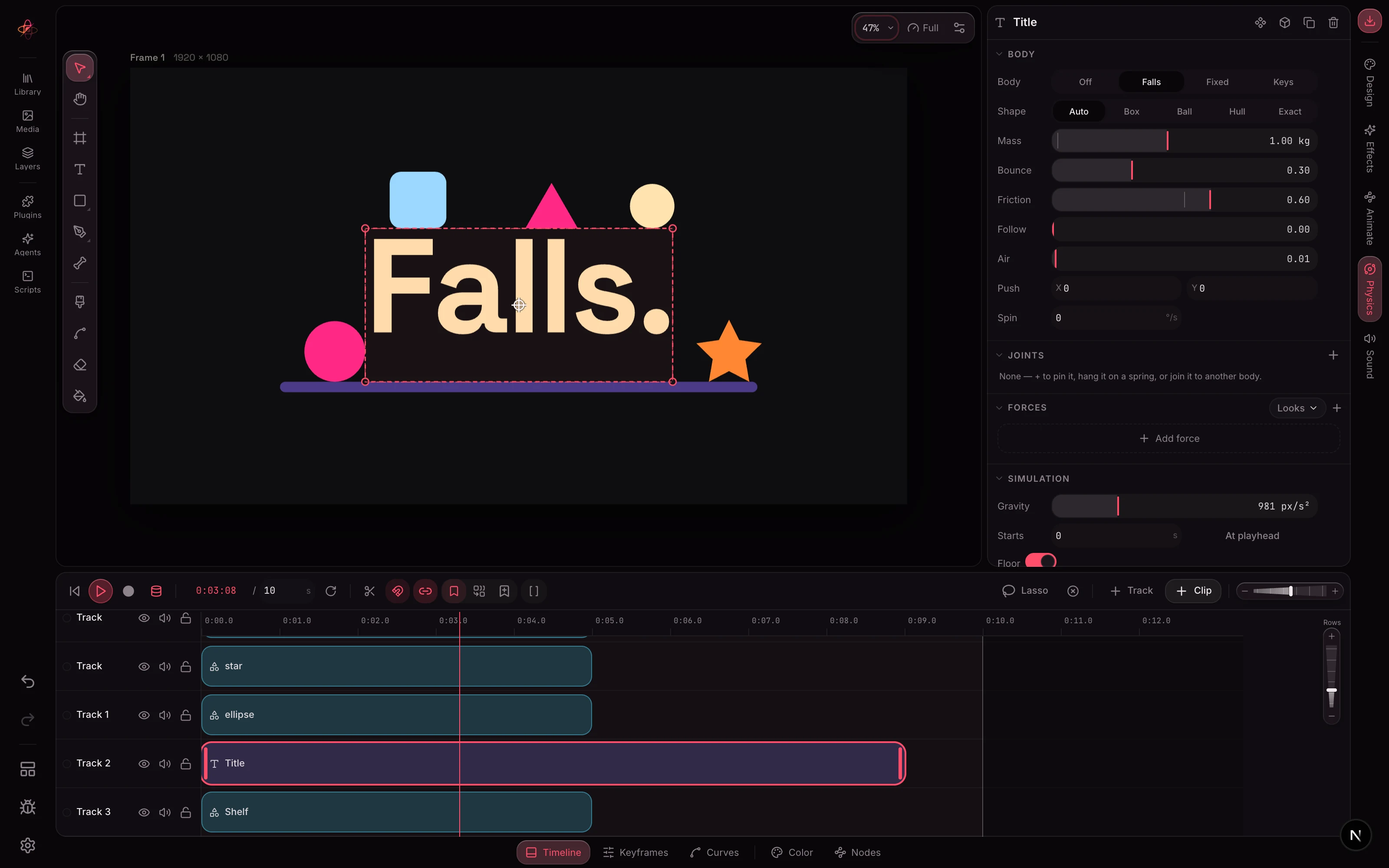
Flipbook animation is where AtomCut's timeline-first shape matters most for this comparison. A flipbook frame's rows are tracks and its cells are drawings, with onion skinning showing adjacent cells faintly while you draw the current one. Placing a cell into an empty slot and reordering it by sequence position are treated as different gestures on purpose, so a drag can't accidentally do the wrong one. Deleting a cell leaves a gap rather than rippling the row closed automatically, gaps can be filled individually, and a cell's hold length resizes by dragging its edge, affecting only the cells touching that edge. A flipbook frame is also a clip like any other, so it trims, loops, or nests inside a larger composition, the same as a video clip or a vector animation would.
The trade for that generality is the one named in the table: AtomCut draws in vectors, not raster, and it runs in a browser rather than as a native app, which costs some of the tuned-to-one-device feel Procreate Dreams has by design. What that generality buys back is that the same flipbook frame can sit on a timeline next to a video clip, a captioned voice track, and a kinetic type layer, all keyframeable, all exportable to the same set of formats, on the same iPad session that started the drawing.
Choose Procreate Dreams if…
- Your practice is raster painting and you want the deepest Apple Pencil feel available on iPad.
- Frame-by-frame animation is the whole job, not one part of a larger timeline with video, audio or vector work in it.
- You want a native app's performance ceiling, not a browser tab's.
Choose AtomCut if…
- The same project needs vectors, a real multi-track timeline, or export formats beyond video and GIF.
- You want the same file to open identically on a laptop and an iPad, with no separate mobile app to buy.
- You want frame-by-frame animation for free before deciding whether to pay for HD export.
Questions people ask
Does AtomCut support Apple Pencil pressure and tilt? Yes. A stylus's pressure and tilt report directly into the brush engine, the same path used across AtomCut's 43 pressure-sensitive brush presets.
Can I do vector frame-by-frame animation in Procreate Dreams? No. Procreate Dreams is a raster tool; each frame is a bitmap drawing, not an editable vector shape.
Is AtomCut's iPad experience a native app? No, it's the same browser app resized: one workspace presented as docked panels or floating panels depending on how much room the screen has, with an on-screen puck replacing keyboard modifiers.
Which one performs better on an older iPad? Procreate Dreams, as a native app tuned for iPad hardware. AtomCut runs in the browser, so a heavier project (long timelines, many layered effects) costs more than the same scene would in a native app.